
Blog
Comparing Office Printing Solutions for Facilities Managers


Comparing Office Printing Solutions for Facilities Managers
- 31st Dec 2024
Selecting the right office printing solutions is crucial for facilities managers who strive to maintain productivity and cost-efficiency within their organisations. The ideal solution must balance performance, cost, and sustainability while meeting the specific needs of the office environment. This blog post explores various office printing solutions and their key features, helping facilities managers make informed decisions.
Understanding Your Office Printing Needs
Before diving into comparisons, it’s essential to identify your office’s printing needs. Consider factors like the volume of printing, the need for colour versus monochrome prints, and the required print speed. Facilities managers should also assess the types of documents frequently printed and any specialised requirements, such as large-format printing or high-resolution output.
Key Factors to Consider
- Print Volume: Determine if your office handles high, medium, or low print volumes. High-volume environments may benefit from robust production printers, while smaller offices might only need multifunction devices.
- Print Quality: Consider the importance of print quality. Offices needing high-quality prints for presentations or client-facing documents should prioritise devices with superior resolution and colour accuracy.
- Cost Efficiency: Look for solutions that offer a balance between initial investment and long-term operational costs. Features like duplex printing, energy efficiency, and economical consumables can significantly impact overall expenses.
Comparing Popular Office Printing Solutions
Multifunction Printers (MFPs)
Multifunction printers are popular for their versatility, combining printing, scanning, copying, and faxing into one device. This makes them ideal for offices with diverse needs but limited space. They come in various sizes and capabilities, from compact desktop models to robust standalone units for higher volumes.
Pros:
- Space-saving and multifunctional.
- Suitable for moderate to high print volumes.
- Cost-effective for offices that need multiple functionalities in one device.
Cons:
- May be overkill for offices with minimal copying or scanning needs.
- Some models can be slower compared to dedicated single-function printers.
Laser Printers
Laser printers are known for their speed, efficiency, and low cost per page, making them a go-to choice for offices with high print demands. They are particularly suitable for black-and-white document printing but are also available in colour models for offices that require occasional colour prints.
Pros:
- Fast print speeds and high efficiency.
- Lower cost per page for high-volume printing.
- Durable and reliable for heavy-duty use.
Cons:
- Higher upfront cost, especially for colour laser printers.
- Not ideal for photo printing due to lower colour accuracy compared to inkjets.
Inkjet Printers
Inkjet printers excel in producing high-quality colour prints and are ideal for environments where vibrant graphics or images are frequently printed. They are versatile and available in both office and home office models, offering excellent print quality for lower volumes.
Pros:
- Superior print quality for images and graphics.
- Lower initial cost compared to laser printers.
- Compact models are available for small office spaces.
Cons:
- Higher cost per page due to ink expenses.
- Slower print speeds compared to laser printers.
Choosing the Right Solution for Your Office
When selecting a printing solution, facilities managers should weigh the pros and cons of each option against their office’s specific needs. For example, if cost efficiency and speed are top priorities, laser printers might be the best choice. However, for offices that value print quality and colour accuracy, investing in a high-end inkjet printer could be more suitable.
Integrating Print Management Solutions
To enhance the effectiveness of your chosen printing devices, consider integrating print management solutions. These software platforms can help facilities managers monitor and control print usage, reduce waste, and optimise printer fleets for better efficiency. They can also provide insights into print patterns and help manage expenses effectively.
For more information on suitable office printing solutions, explore our Printing Solutions to find the best fit for your needs.
Conclusion
Choosing the right office printing solution requires a thorough understanding of your office’s needs and careful consideration of the available options. By comparing multifunction printers, laser printers, and inkjet printers, facilities managers can identify the best fit for their environment. Don’t forget to consider print management solutions to maximise efficiency and control costs. For tailored advice and a detailed quote, reach out to Next Tech Group today.
Blog
How to Choose the Right Office Photocopier for Your Needs

How to Choose the Right Office Photocopier for Your Needs
- 31st Dec 2024
Choosing the right office photocopier is an important decision that impacts your business’s efficiency, productivity, and costs. With a wide range of photocopiers available, from basic models to advanced multifunction devices, selecting the best option for your office can be challenging. This guide will walk you through key factors to consider, essential features to look for, and tips for making an informed choice tailored to your specific needs.
Understanding Office Photocopiers
Office photocopiers are essential tools for businesses of all sizes, allowing for the quick duplication of documents. Modern photocopiers often come as multifunction devices, which can print, scan, fax, and copy, making them versatile and cost-effective solutions for busy workplaces. When selecting a photocopier, it’s important to match the device’s capabilities with your business requirements to avoid overspending on unnecessary features or compromising on essential functionalities.
Key Considerations When Choosing an Office Photocopier
1. Volume and Speed
One of the first factors to consider is the volume of copies your office needs on a daily or monthly basis. Photocopiers are generally categorised by their monthly duty cycle, which indicates the maximum number of copies they can handle. Choose a copier that can comfortably manage your expected workload without overextending its capacity, as this can lead to increased wear and reduced lifespan.
Speed, measured in pages per minute (PPM), is also a critical factor. High-speed photocopiers are ideal for offices with heavy copy demands, ensuring that large documents can be processed quickly without causing bottlenecks in workflow.
2. Print Quality
Print quality is crucial, especially for businesses that produce professional documents, reports, or marketing materials. Look for photocopiers with high DPI (dots per inch) ratings, which provide sharp, clear images and text. Some photocopiers offer additional features such as colour calibration and advanced image processing to enhance print quality.
3. Connectivity and Integration
Modern office photocopiers offer a range of connectivity options to suit different working environments. Key connectivity features to look for include:
- Wireless and Ethernet Connectivity: Enables network printing, allowing multiple users to access the photocopier from different devices.
- Mobile and Cloud Printing: Supports printing from smartphones, tablets, and cloud services, making it easier for employees to print on the go.
- Integration with Office Software: Check whether the photocopier integrates seamlessly with your office’s document management systems or software like Microsoft Office and Google Workspace.
4. Multifunction Capabilities
Many businesses benefit from multifunction devices that combine printing, scanning, copying, and faxing in one machine. These all-in-one photocopiers save space, reduce equipment costs, and simplify maintenance. When evaluating multifunction devices, consider the quality and speed of each function to ensure they meet your office’s needs. For a range of versatile Multifunction Devices, explore our selection tailored for various business requirements.
5. Security Features
With the increasing importance of data security, modern photocopiers often include features to protect sensitive information. Look for devices that offer user authentication, secure print release, data encryption, and audit trails to prevent unauthorised access and safeguard your documents.
6. Total Cost of Ownership (TCO)
Beyond the initial purchase price, consider the total cost of ownership (TCO), which includes maintenance, consumables (like toner and paper), and energy usage. High-capacity toners and energy-efficient models can significantly reduce ongoing costs. Some providers also offer managed print services (MPS) to help monitor usage, manage supplies, and reduce waste, further lowering the TCO.
Tips for Choosing the Right Photocopier
1. Assess Your Needs
Start by assessing your office’s specific needs, including the average number of copies per day, the type of documents you typically copy, and any additional functions you require (such as scanning or faxing). Understanding these needs will help narrow down your options and ensure you choose a copier that aligns with your business operations.
2. Consider the Size and Placement
Photocopiers come in various sizes, from compact desktop models to large freestanding units. Consider the available space in your office and choose a copier that fits comfortably without disrupting workflow. For smaller offices, compact models that fit on a desk or in a corner may be ideal, while larger offices with high volume needs might require more robust, freestanding machines.
3. Evaluate Brand and Support Services
Choosing a reputable brand with a strong track record in the industry can make a significant difference in reliability and support. Evaluate the support services offered by the provider, such as warranty, maintenance contracts, and customer service responsiveness. Reliable after-sales support is crucial for keeping your photocopier running smoothly and minimizing downtime.
4. Test Before You Buy
Whenever possible, test the photocopier before making a purchase. A hands-on trial can help you evaluate the user interface, ease of use, and overall performance of the machine. Some providers offer demo units or trial periods, which can be a valuable opportunity to ensure the photocopier meets your expectations.
Conclusion
Choosing the right office photocopier involves careful consideration of your business’s specific needs, from volume and speed to security and multifunction capabilities. By evaluating key factors such as print quality, connectivity, and total cost of ownership, you can select a photocopier that enhances productivity and fits your budget. For a range of reliable and versatile Multifunction Devices tailored to meet your office needs, explore our offerings at Next Tech Group.
Blog
Choosing the Best Office Printer Providers: A Guide

Choosing the Best Office Printer Providers: A Guide
- 31st Dec 2024
Selecting the right office printer provider is crucial for maintaining productivity and managing costs within your business. With numerous providers offering various models and services, it can be challenging to navigate the options and find the best fit for your company’s needs. This guide aims to simplify the decision-making process by highlighting key considerations, cost factors, and essential features to look for when choosing office printer providers.
Understanding Office Printer Providers
Office printer providers offer a range of printers, from multifunction devices to specialised printers for specific business needs. They may also provide related services, such as managed print services (MPS), maintenance, and supply management. Selecting the right provider involves evaluating their product range, service offerings, and ability to meet your business requirements.
Key Considerations When Choosing a Printer Provider
When evaluating office printer providers, consider the following factors to ensure you make an informed decision:
1. Range of Products
The first step in choosing a printer provider is to assess the variety of printers they offer. Look for providers with a broad selection of printers, including multifunction printers (MFPs), laser printers, inkjet printers, and specialised devices like large format and production printers. A diverse product range ensures that you can find the right printer for your specific needs, whether it’s high-volume document printing, vibrant colour printing, or advanced finishing capabilities.
2. Reputation and Reviews
Research the provider’s reputation within the industry. Check online reviews, customer testimonials, and case studies to gauge their reliability and customer satisfaction levels. Providers with a strong track record are more likely to offer high-quality products and dependable services. Additionally, consider seeking recommendations from other businesses in your industry to get insights into which providers are most trusted.
3. Service and Support
Reliable service and support are critical when selecting a printer provider. Ensure that the provider offers comprehensive support, including installation, maintenance, and troubleshooting. Some providers offer managed print services (MPS), which can be highly beneficial for businesses looking to optimise their print environment and reduce costs. MPS typically includes regular maintenance, supply management, and monitoring to improve efficiency and minimise downtime.
4. Cost and Total Cost of Ownership
While the upfront cost of a printer is important, it’s also essential to consider the total cost of ownership (TCO), which includes consumables, maintenance, and energy costs. Look for providers that offer transparent pricing and cost-effective solutions, such as high-yield toner cartridges or printers with energy-saving features. Comparing TCO across different providers can help you identify the most cost-efficient option for your business.
5. Customisation and Scalability
Your printing needs may change as your business grows, so it’s important to choose a provider that offers scalable solutions. Some providers offer customisable printer configurations to match your specific requirements, such as adding extra paper trays or upgrading to faster printing speeds. Additionally, consider whether the provider can scale their services, such as expanding MPS or offering additional devices as your business evolves.
6. Security Features
Security is a growing concern in today’s digital landscape, and your office printers should not be overlooked in your overall security strategy. Choose a provider that offers printers with robust security features, such as user authentication, secure printing, data encryption, and audit trails. These features help protect sensitive information and prevent unauthorised access to your printing environment.
Top Features to Look For in Office Printers
When selecting printers from a provider, consider the following features to ensure they meet your business needs:
Print Quality and Speed
Print quality and speed are critical factors, especially for businesses with high-volume printing needs. Look for printers with high DPI (dots per inch) for clear and sharp printouts, and consider the printer’s speed, measured in pages per minute (PPM). High-speed printers can significantly enhance productivity in busy office environments.
Connectivity Options
Modern printers offer various connectivity options, including Wi-Fi, Ethernet, USB, and mobile printing capabilities. Wireless connectivity allows employees to print from anywhere in the office, while mobile printing supports printing from smartphones and tablets. Additionally, cloud printing features enable users to print documents directly from cloud storage services, streamlining workflows and supporting remote work.
Duplex Printing
Duplex printing, or automatic double-sided printing, is a valuable feature that can help reduce paper usage and lower costs. It’s particularly useful for businesses that frequently print reports, presentations, and other multi-page documents.
Energy Efficiency
Choosing energy-efficient printers can lead to significant cost savings over time. Look for printers with energy-saving modes or those that are ENERGY STAR certified, indicating that they meet specific energy efficiency guidelines. Energy-efficient printers not only reduce operational costs but also contribute to your company’s sustainability efforts.
Why Managed Print Services (MPS) Matter
Managed Print Services (MPS) can be a game-changer for businesses looking to optimise their printing environment. MPS providers manage all aspects of your print infrastructure, from monitoring usage to maintaining equipment and supplying consumables. By implementing MPS, businesses can reduce print-related costs, improve efficiency, and free up IT resources to focus on more strategic tasks.
Conclusion
Choosing the best office printer provider requires careful consideration of your business’s specific needs, budget, and long-term goals. By evaluating providers based on their product range, service and support offerings, reputation, and cost efficiency, you can make a well-informed decision that aligns with your company’s objectives. To explore a wide range of Printing Solutions for Business and Education that cater to various needs, visit our website for more information.
Blog
Best Applications of Lecture Capture Software in Education

Best Applications of Lecture Capture Software in Education
- 31st Dec 2024
Lecture capture software has revolutionised the way educational institutions deliver and manage content. From universities to corporate training environments, these tools allow for the recording, streaming, and sharing of lectures, making learning more accessible and flexible. This post explores the best applications of lecture capture software in education and how it can benefit both educators and students.
What is Lecture Capture Software?
Lecture capture software refers to the tools and platforms that record audio, video, and presentations during lectures or training sessions. These recordings can be archived for later viewing, streamed live, or shared with students who may have missed the session. Key features often include video editing, integration with learning management systems (LMS), and options for note-taking or bookmarking.
Key Features of Lecture Capture Software
- Recording and Streaming: Capture high-quality video and audio from lectures, seminars, and presentations.
- Editing and Customization: Edit captured content to highlight key points, remove unnecessary parts, or add supplementary materials.
- Integration with LMS: Seamlessly integrates with existing LMS platforms, allowing easy access for students and educators.
- Interactive Elements: Tools like quizzes, annotations, and discussion boards enhance engagement with the recorded material.
Applications of Lecture Capture Software in Education
1. Enhancing Accessibility and Inclusivity
Lecture capture software makes learning more accessible to all students, including those with disabilities or those who may miss classes due to illness or other commitments. By providing recorded lectures, students can review the material at their own pace, ensuring they do not fall behind.
Benefits:
- Support for Diverse Learning Styles: Visual and auditory learners can benefit from the multi-modal content.
- Accessible for Remote Learners: Particularly useful in hybrid or online learning environments where students may not be physically present.
2. Supporting Flipped Classroom Models
In a flipped classroom model, students review lecture material outside of class, freeing up in-class time for interactive discussions, group work, or hands-on activities. Lecture capture software supports this model by providing the content students need to prepare ahead of time.
Benefits:
- Enhanced Engagement: Students come to class prepared, allowing for deeper discussions and problem-solving activities.
- Self-Paced Learning: Students can watch, pause, and rewind lectures as needed to fully grasp the material.
3. Facilitating Exam Preparation and Revision
One of the most popular uses of lecture capture software is for exam preparation. Recorded lectures allow students to revisit complex topics and review material as they prepare for exams. This continuous access to content helps reinforce learning and improve retention.
Benefits:
- On-Demand Access: Students can study at times that are convenient for them, reducing stress during exam periods.
- Focused Revision: Allows students to rewatch specific segments of a lecture that they found challenging.
4. Professional Development for Educators
Lecture capture software is not just for students; it can also serve as a valuable tool for educators. By reviewing their own lectures, educators can assess their teaching methods, identify areas for improvement, and share successful strategies with colleagues.
Benefits:
- Self-Reflection and Improvement: Helps educators refine their teaching techniques.
- Resource Sharing: Educators can create a library of best practices and exemplary lectures for training new staff or for peer review.
5. Extending Learning Beyond the Classroom
Lecture capture allows educational institutions to offer their content to a broader audience. This is particularly beneficial for institutions that provide online courses or professional training. Recorded lectures can be shared with alumni, professionals, or the general public, extending the reach of the institution’s educational offerings.
Benefits:
- Increased Reach and Visibility: Attracts non-traditional students, including working professionals looking for continued education.
- Monetization Opportunities: Institutions can monetize their recorded lectures by offering them as standalone courses or supplementary materials.
6. Supporting Students with Special Needs
Lecture capture software is invaluable for students with special needs, such as those with learning disabilities, auditory or visual impairments, or other challenges that make traditional learning difficult. Recorded lectures provide these students with the ability to review and engage with content in a way that suits their unique needs.
Benefits:
- Customised Learning Experiences: Students can use assistive technologies, such as subtitles or screen readers, alongside recorded lectures.
- Flexible Access: Enables students to learn at their own pace, reducing the pressure of keeping up with live lectures.
Best Practices for Implementing Lecture Capture Software
To maximise the benefits of lecture capture software, educational institutions should consider the following best practices:
1. Choose the Right Software
Select a platform that meets your institution’s specific needs. Consider factors like ease of use, integration capabilities, and the quality of recordings.
2. Train Educators and Students
Provide training sessions to help educators effectively use the software. Ensure students know how to access and make the most of the recorded content.
3. Ensure Compliance with Privacy Laws
Recording lectures involves capturing both the instructor’s and students’ participation. Ensure that your institution complies with privacy regulations and has obtained necessary permissions.
4. Encourage Interactive Use
Leverage the software’s interactive features to engage students, such as embedding quizzes, encouraging annotations, and setting up discussion forums.
For more detailed insights on how to effectively implement lecture capture technology in your institution, visit our Lecture Capture Systems page.
Conclusion
Lecture capture software offers a range of benefits that can significantly enhance the educational experience for both students and educators. By providing flexible, accessible, and engaging content, these tools support diverse learning environments and help institutions extend their reach. Whether you’re looking to support a flipped classroom model, provide better resources for exam preparation, or offer professional development for educators, lecture capture software is a valuable addition to any educational setting. Explore the various options and find the best fit for your needs to maximise the impact of your educational content.
Blog
Business AV Solutions: Comparing Top Options for Offices
Business AV Solutions: Comparing Top Options for Offices
- 31st Dec 2024
In today’s business environment, audio-visual (AV) solutions play a crucial role in enhancing communication, collaboration, and productivity. With the right AV setup, offices can improve meeting efficiency, deliver impactful presentations, and create engaging training sessions. However, choosing the best AV solutions for your office can be challenging with the numerous options available. This guide compares top business AV solutions, helping office managers make informed decisions.
Understanding the Importance of Business AV Solutions
Business AV solutions encompass a range of technologies designed to facilitate communication and collaboration in office settings. From video conferencing systems to digital signage and interactive displays, these tools enhance the way teams connect, share information, and work together.
Key Benefits of AV Solutions
- Enhanced Communication: High-quality AV systems improve sound and visual clarity, making meetings and presentations more effective.
- Increased Engagement: Interactive displays and video walls capture attention and make content more engaging, ideal for training sessions and team meetings.
- Scalability: Modern AV solutions are scalable, allowing businesses to expand their systems as their needs grow.
Comparing Top Business AV Solutions
Video Conferencing Systems
Video conferencing systems have become essential in modern offices, particularly with the rise of remote and hybrid work models. These systems enable face-to-face communication regardless of location, fostering better team collaboration and client interaction.
Pros:
- Facilitates real-time communication with remote teams and clients.
- Reduces travel costs and time, making meetings more efficient.
- Enhances collaboration with features like screen sharing and virtual whiteboards.
Cons:
- Requires a reliable internet connection for optimal performance.
- Initial setup costs can be high, depending on the system’s complexity.
Interactive Displays
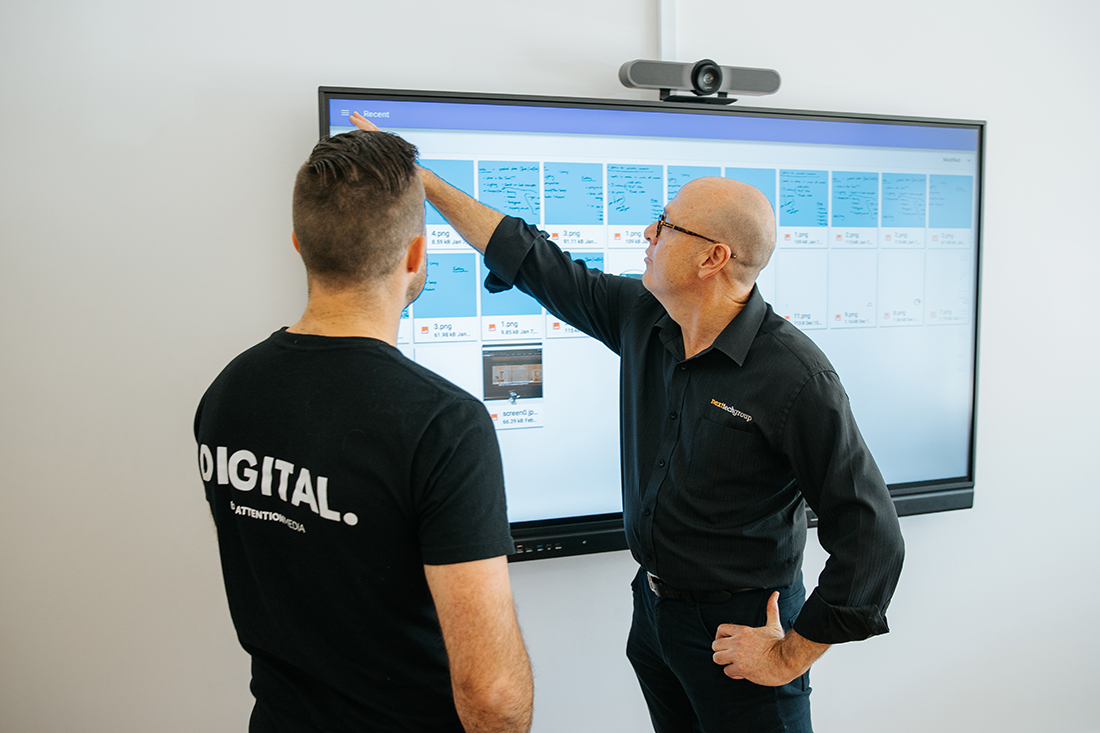
Interactive displays, such as smart boards and touch screens, are increasingly popular in offices for presentations, brainstorming sessions, and training. They offer an intuitive interface that allows users to interact directly with the display, making meetings more engaging.
Pros:
- Boosts engagement and participation in meetings.
- Simplifies complex presentations with interactive features.
- Integrates seamlessly with other office technology, such as laptops and tablets.
Cons:
- Can be expensive, particularly for large or high-end models.
- Requires regular maintenance and updates to keep software running smoothly.
Digital Signage
Digital signage is used in offices for a variety of purposes, including way finding, internal communications, and displaying company news or updates. It offers a dynamic way to convey information compared to traditional static signs.
Pros:
- Easily updatable content ensures the information is always current.
- Can be used for multiple purposes, including marketing and employee engagement.
- Reduces the need for printed materials, supporting sustainability efforts.
Cons:
- Initial investment can be high, especially for large-scale deployments.
- Requires ongoing content management to ensure displays remain relevant and useful.
Audio Systems
High-quality audio systems are critical in creating an effective AV setup. Whether it’s for conference rooms, open office areas, or event spaces, clear and reliable audio is essential for communication.
Pros:
- Enhances clarity in meetings, presentations, and large gatherings.
- Supports various applications, including background music, paging, and announcements.
- Modern systems offer integration with other AV components, like video conferencing.
Cons:
- Installation can be complex, requiring professional setup and calibration.
- Ongoing maintenance is necessary to prevent issues with sound quality.
Choosing the Right AV Solutions for Your Office
When selecting AV solutions, consider the specific needs of your office environment. For instance, a company with frequent remote meetings might prioritise video conferencing systems, while another focused on training and presentations might invest in interactive displays. Assess the size of your meeting rooms, the typical number of participants, and the nature of your meetings to guide your decision.
Integrating AV Solutions with Existing Infrastructure
To maximise the benefits of your AV investments, ensure compatibility and integration with your existing office infrastructure. This might involve upgrading network capabilities, configuring software for seamless operation, and training staff on how to use the new technologies effectively.
For more detailed information on AV solutions tailored for office environments, visit our Office Solution page.
Conclusion
Investing in the right business AV solutions can significantly enhance the productivity and communication of your office. By understanding the pros and cons of different AV technologies, office managers can make informed choices that align with their organisation’s needs and budget. Whether it’s video conferencing systems, interactive displays, digital signage, or audio solutions, each technology offers unique benefits that can transform the workplace. For expert advice or a custom solution, contact Next Tech Group today.
