
Blog
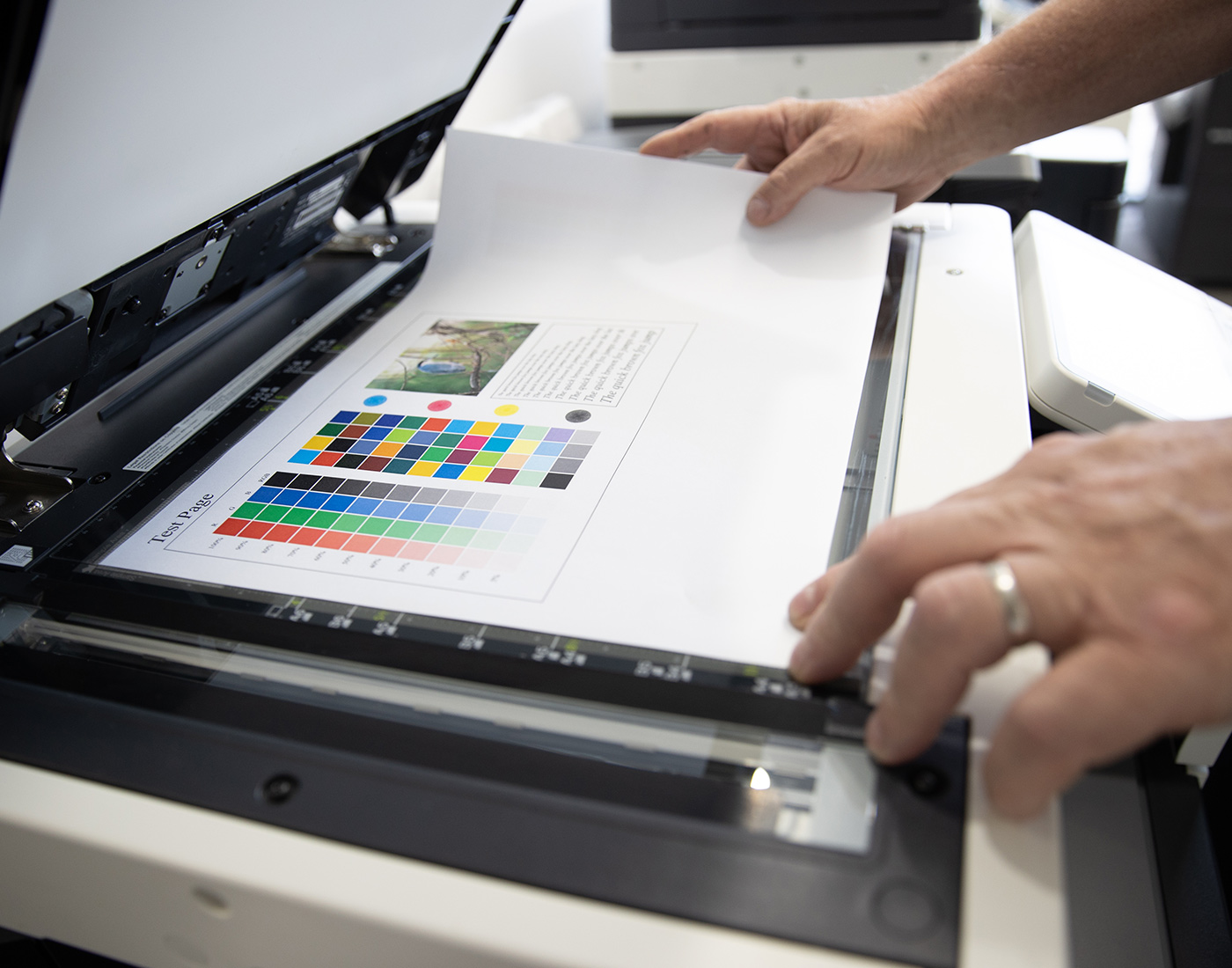
Best Applications of Office Printing Solutions for Managers


Best Applications of Office Printing Solutions for Managers
- 1st Jan 2025
In today’s fast-paced business environment, efficient office printing solutions are essential for managers looking to streamline workflows, reduce costs, and improve overall productivity. With advancements in printing technology, modern office printers offer a range of features that go beyond basic printing. From multifunctional capabilities to advanced security features, these devices can significantly enhance office operations. In this blog post, we’ll explore the best applications of office printing solutions for managers, focusing on practical ways to maximise their potential.
Understanding Modern Office Printing Solutions
Modern office printing solutions encompass a variety of devices and services designed to meet the diverse needs of businesses. These include multifunction printers (MFPs) that combine printing, scanning, copying, and faxing, as well as managed print services (MPS) that provide comprehensive support and optimisation for your print environment. By leveraging these solutions, managers can improve document management, enhance security, and reduce operational costs.
Top Applications of Office Printing Solutions
1. Streamlining Document Workflows
One of the primary applications of modern printing solutions is streamlining document workflows. Multifunction printers allow managers to automate repetitive tasks, such as scanning and routing documents to specific folders or emailing them to designated recipients. By integrating printing solutions with document management systems, you can reduce manual handling, minimise errors, and speed up processing times. This is particularly beneficial for industries that rely heavily on paperwork, such as legal, healthcare, and finance.
2. Enhancing Security and Compliance
Security is a critical concern for businesses, especially those that handle sensitive information. Advanced office printers come equipped with security features such as user authentication, secure print release, and data encryption. These features ensure that only authorised personnel can access or print sensitive documents, helping your office comply with data protection regulations. By using secure printing solutions, managers can mitigate risks associated with data breaches and maintain the confidentiality of business information.
3. Reducing Printing Costs
Managed print services (MPS) play a crucial role in helping businesses reduce printing costs. MPS providers assess your current print environment, identify inefficiencies, and recommend strategies for cost savings, such as consolidating devices or adjusting print settings. By implementing MPS, managers can gain better control over their printing expenses, reduce waste, and ensure that printers are used efficiently. Cost reductions can be substantial, making MPS a valuable investment for any business looking to optimise their print operations.
4. Supporting Sustainability Initiatives
Sustainability is an important focus for many businesses today, and office printing solutions can support these efforts. Modern printers offer eco-friendly features like duplex printing (printing on both sides of the page), toner-saving modes, and energy-efficient settings. By encouraging employees to utilise these features, managers can reduce paper and toner consumption, lower energy use, and contribute to the company’s sustainability goals. Additionally, some printers are designed to work with recycled or eco-certified paper, further enhancing your office’s green initiatives.
5. Improving Productivity with Mobile and Cloud Printing
In a mobile-driven world, the ability to print from smartphones, tablets, and laptops is a significant advantage. Office printers with mobile and cloud printing capabilities allow employees to print documents from any location, at any time. This flexibility is particularly beneficial for remote workers or those who frequently travel. By integrating printing solutions with cloud services like Google Drive, Dropbox, or Microsoft OneDrive, managers can ensure that documents are easily accessible and printable, boosting productivity across the organisation.
Maximising Office Printing Efficiency
1. Regular Maintenance and Device Optimisation
To get the most out of your office printing solutions, regular maintenance and device optimisation are key. Managers should schedule routine check-ups with service providers to keep printers in top working condition. Ensuring that devices are running the latest firmware and software updates can also help improve performance and security. Proactive maintenance not only extends the lifespan of your printers but also minimises downtime and disruptions in daily operations.
2. Employee Training on Printing Best Practices
Maximising the benefits of office printing solutions requires that employees are well-trained on how to use them effectively. Offer training sessions or provide user-friendly guides that cover key features, such as secure printing, scanning, and custom workflows. By educating employees on best practices, managers can reduce unnecessary printing, encourage more efficient use of resources, and improve overall productivity in the office.
3. Integrate Printing Solutions with Office Systems
Integrating printing solutions with other office systems, such as enterprise resource planning (ERP) or customer relationship management (CRM) platforms, can further enhance efficiency. This integration allows for seamless document handling, ensuring that printed materials are automatically aligned with your business processes. For example, invoices or purchase orders generated in your ERP system can be automatically printed and routed, reducing manual intervention and speeding up workflows.
4. Customise Printing Settings for Optimal Results
Customising print settings based on the needs of different departments or tasks can lead to significant improvements in efficiency and cost savings. For instance, set printers to default to black and white or draft mode for everyday printing to save on toner. Use colour printing selectively for high-impact documents, such as client presentations or marketing materials. Managers can also establish printing policies that guide employees on appropriate printing practices, further optimising the use of office resources.
Conclusion
Modern office printing solutions offer a wide range of applications that can significantly benefit managers and their teams. From streamlining document workflows and enhancing security to reducing costs and supporting sustainability, the right printing solutions can transform office operations. By investing in multifunction printers, managed print services, and integrating with office systems, managers can unlock new levels of efficiency and productivity. For more information on how to choose the best office printing solutions for your needs, visit our Printing Solutions page. Explore our comprehensive range of printing solutions designed to meet the unique needs of businesses of all sizes.
Blog
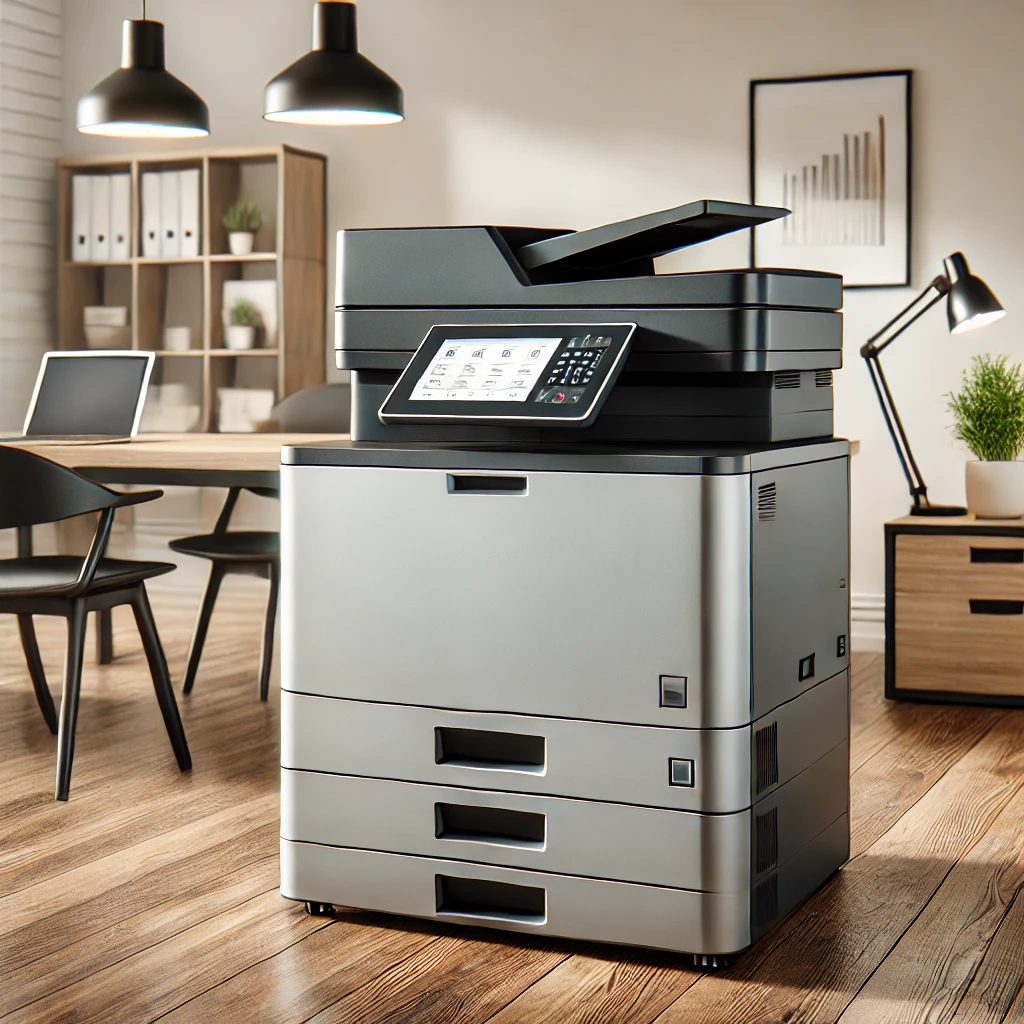
Innovative Ways to Maximise Your Office Photocopier
Innovative Ways to Maximise Your Office Photocopier
- 1st Jan 2025
Office photocopiers have come a long way from being simple copying machines. Modern photocopiers are multifunctional devices that offer a range of features designed to streamline office workflows, improve productivity, and support sustainability initiatives. By leveraging these advanced capabilities, businesses can maximise the value of their photocopiers and achieve greater efficiency. In this blog post, we explore innovative ways to make the most out of your office photocopier.
Understanding the Capabilities of Modern Photocopiers
Before diving into innovative uses, it’s essential to understand the capabilities of modern photocopiers. Today’s devices often combine printing, scanning, copying, and faxing into a single machine, known as a multifunction device. They offer features such as mobile printing, cloud integration, secure document handling, and energy-saving modes. By tapping into these features, businesses can enhance their office operations significantly.
Innovative Ways to Use Your Office Photocopier
1. Streamline Document Management
One of the most powerful features of modern photocopiers is their ability to streamline document management. With advanced scanning capabilities, photocopiers can convert paper documents into digital formats, making it easier to store, search, and share information. By integrating with document management software, you can automate document workflows, such as invoice processing or contract management, reducing manual data entry and increasing efficiency.
2. Enhance Security with Secure Printing
Security is a top concern for businesses handling sensitive information. Modern photocopiers offer secure printing features that require user authentication before documents are released. This ensures that confidential documents are not left unattended on the printer tray. Additionally, some photocopiers provide encryption and secure storage options, protecting your data from unauthorised access and helping your business comply with data protection regulations.
3. Reduce Costs with Managed Print Services
Managed Print Services (MPS) can help businesses reduce printing costs and improve efficiency. By working with a provider that offers MPS, you can optimise your print environment, monitor usage, and reduce waste. MPS providers often use data from your photocopiers to identify areas for cost savings, such as adjusting print settings or consolidating devices. This proactive approach helps control printing expenses and ensures that your office is using resources efficiently.
4. Support Sustainability Initiatives
Sustainability is increasingly important for businesses today. Modern photocopiers offer several features that support green initiatives, such as duplex printing (printing on both sides of the paper), energy-saving modes, and recycled paper settings. By utilising these features, your office can reduce paper waste, lower energy consumption, and contribute to your company’s overall sustainability goals.
5. Boost Productivity with Mobile and Cloud Printing
In today’s mobile-driven world, the ability to print from smartphones, tablets, and laptops is a significant advantage. Modern photocopiers support mobile and cloud printing, allowing employees to print documents from anywhere, at any time. This flexibility enhances productivity by enabling remote work and reducing the time spent transferring files between devices. By integrating your photocopier with cloud services, such as Google Drive or Microsoft OneDrive, you can also streamline document storage and sharing.
6. Automate Repetitive Tasks with Custom Workflows
Many modern photocopiers allow users to create custom workflows for repetitive tasks. For example, you can set up one-touch buttons for scanning and emailing documents to specific recipients or saving files to designated folders. By automating these processes, your office can save time, reduce errors, and improve consistency in document handling.
Maximising Photocopier Efficiency in Your Office
1. Regular Maintenance and Updates
To keep your photocopier running efficiently, regular maintenance and software updates are crucial. Schedule routine check-ups with your service provider to address potential issues before they cause downtime. Ensure that your photocopier’s firmware is up-to-date to take advantage of the latest features and security enhancements. Proper maintenance not only extends the life of your device but also ensures that it continues to operate at peak performance.
2. Train Employees on Photocopier Features
Maximising your office photocopier’s potential requires that your employees are familiar with its features. Offer training sessions or create easy-to-follow guides that demonstrate how to use the device’s functions effectively. When employees know how to utilise advanced features, such as secure printing or custom workflows, they can work more efficiently and reduce the need for IT support.
3. Optimise Print Settings for Cost and Quality
Photocopiers often come with various print settings that can be adjusted for cost savings and improved quality. For instance, you can set default options to black and white printing for everyday documents or select draft mode to save on toner. Encourage employees to use duplex printing and preview documents before printing to minimise paper and ink usage. Optimising these settings can significantly reduce operational costs while maintaining the desired print quality.
4. Integrate with Office Software
Integrating your photocopier with existing office software, such as CRM systems, document management tools, or project management platforms, can further enhance productivity. This integration allows for seamless document handling and ensures that your photocopier works as part of a larger, interconnected office ecosystem. For example, scanned documents can be automatically routed to specific folders or entered into a workflow that aligns with your business processes.
Conclusion
Modern photocopiers are versatile tools that offer much more than just copying capabilities. By understanding and leveraging their advanced features, your office can streamline workflows, enhance security, reduce costs, and support sustainability initiatives. Investing time in proper training, maintenance, and integration can unlock the full potential of your office photocopier, making it an invaluable asset to your business operations. For more information on multifunction devices and how to maximise their use in your office, visit our Multifunction Devices page. Explore our range of innovative solutions to enhance your office efficiency and productivity.
Blog
Inspiring Office Solutions: Choosing the Right Printer Provider

Inspiring Office Solutions: Choosing the Right Printer Provider
- 1st Jan 2025
In today’s fast-paced business environment, having the right printer provider is essential for maintaining productivity and efficiency. Choosing the right provider not only affects the quality of your print outputs but also impacts overall business costs and operations. With many options available, it can be challenging to determine which provider best suits your business needs. This guide will help you understand the key factors to consider when selecting an office printer provider to inspire more efficient office solutions.
Understanding Your Office Needs
Before choosing a printer provider, it’s crucial to assess your office’s specific printing needs. Consider the volume of printing required, the types of documents your office frequently prints (e.g., colour, black and white, high-resolution graphics), and whether you need multifunction devices that combine printing, scanning, copying, and faxing. By understanding your needs, you can narrow down providers that offer suitable solutions for your office environment.
Key Factors to Consider When Choosing a Printer Provider
1. Reliability and Reputation
Reliability is a cornerstone when selecting a printer provider. You need a provider with a proven track record of delivering high-quality products and consistent service. Investigate the provider’s reputation by reading customer reviews, asking for references, or consulting industry experts. A reliable provider will offer durable printers that minimise downtime, ensuring your office operations run smoothly.
2. Service and Support
A printer provider’s level of service and support can make a significant difference in your overall experience. Look for providers that offer comprehensive service packages, including installation, maintenance, and troubleshooting support. Quick response times and accessible customer service can prevent prolonged downtime and ensure your printer is back in operation with minimal disruption. Additionally, consider providers that offer ongoing training and resources to help your team maximise the use of your printers.
3. Cost-Efficiency and Pricing Options
Cost-efficiency goes beyond the initial purchase price of a printer. Consider the total cost of ownership, which includes the price of consumables like ink and toner, maintenance, and energy consumption. Evaluate providers that offer competitive pricing options, including leasing or subscription models, which can help manage cash flow and reduce upfront costs. A cost-effective printer provider will offer transparent pricing and provide solutions that fit within your budget without compromising on quality.
4. Technology and Innovation
The rapid advancement of printing technology means that today’s printers offer more than just basic printing functions. Look for providers that offer innovative features, such as mobile printing, cloud integration, and advanced security options. These features can enhance your office’s productivity and streamline workflow processes. A forward-thinking provider will continuously update its offerings with the latest technological advancements to keep your office at the forefront of printing solutions.
5. Environmental Impact
Sustainability is increasingly important for businesses, and choosing a printer provider that prioritises environmentally friendly practices can support your company’s green initiatives. Consider providers that offer energy-efficient printers, recycling programs for cartridges, and eco-friendly printing options. Opting for a provider with sustainable practices can reduce your environmental footprint and align with your company’s values.
Benefits of Choosing the Right Printer Provider
1. Improved Productivity and Workflow
With the right printer provider, your office can benefit from enhanced productivity. Providers that offer multifunctional devices, seamless integration with existing office software, and user-friendly interfaces can help streamline your office’s workflow. This results in less time spent on troubleshooting and more time focused on core business activities.
2. Reduced Downtime and Increased Reliability
Choosing a reliable provider with robust service and support reduces the risk of prolonged downtime. Providers that offer regular maintenance checks, prompt service responses, and remote monitoring can quickly address any issues that arise, ensuring your printers are always ready to meet your office’s demands.
3. Cost Savings
Working with a cost-efficient printer provider can lead to significant savings over time. By selecting providers that offer energy-efficient models, competitive pricing on consumables, and flexible payment options, your business can reduce overall printing costs. Additionally, minimising downtime and maintenance expenses through reliable service support further contributes to long-term savings.
4. Enhanced Security
Printers are often overlooked as potential security vulnerabilities in the office. A reputable provider will offer devices equipped with advanced security features, such as user authentication, secure printing, and data encryption. These features help protect sensitive information and ensure compliance with data security standards.
Tips for Selecting the Best Printer Provider
1. Evaluate Multiple Providers
Take the time to research and compare multiple providers. Request quotes, compare service offerings, and evaluate the total cost of ownership for each option. By evaluating multiple providers, you can make a more informed decision that aligns with your office’s needs and budget.
2. Consider Future Needs
When selecting a printer provider, it’s essential to consider your future needs. Choose a provider that offers scalable solutions, allowing your printing infrastructure to grow alongside your business. Look for providers that are flexible and can adapt to changes in your office environment or industry demands.
3. Read Reviews and Testimonials
Customer reviews and testimonials can provide valuable insights into a provider’s reliability, service quality, and overall performance. Look for feedback from businesses similar to yours to gauge how well a provider might meet your needs.
Conclusion
Choosing the right printer provider is a critical step in optimising your office’s printing solutions. By focusing on reliability, service support, cost-efficiency, and innovation, you can select a provider that enhances your business operations and aligns with your goals. For more information on selecting the best printer provider for your office, visit our Printing Solutions page. Our team at Next Tech Group is ready to assist you in making an informed choice that drives productivity and success for your business.
Blog
Top Applications of Printing Management Software for SMBs

Top Applications of Printing Management Software for SMBs
- 1st Jan 2025
In today’s digital age, small and medium-sized businesses (SMBs) are continually searching for ways to improve operational efficiency and reduce costs. Printing management software is a key tool that helps SMBs achieve these goals by optimising print workflows, reducing waste, and enhancing security. Whether it’s tracking usage, managing costs, or streamlining processes, print management software provides a comprehensive solution tailored to the unique needs of SMBs. In this blog post, we explore the top applications of printing management software and how it can transform your business operations.
What is Printing Management Software?
Printing management software is a suite of tools designed to control and optimise printing processes within an organisation. It offers features such as print tracking, user authentication, cost control, and secure printing. By managing print activities from a centralised platform, businesses can reduce waste, lower printing costs, and ensure that sensitive documents are handled securely.
Key Applications of Printing Management Software for SMBs
1. Cost Control and Reduction
One of the primary applications of printing management software is cost control. For SMBs, uncontrolled printing can lead to significant expenses over time. Print management software provides detailed reports on usage, allowing businesses to identify areas of waste and implement rules to reduce unnecessary printing. For example, it can restrict colour printing, enforce duplex printing, or limit the number of pages that can be printed per user, directly reducing costs associated with paper, ink, and toner.
2. Enhanced Security and Compliance
In an era where data security is paramount, printing management software plays a critical role in protecting sensitive information. It offers secure printing options that require user authentication before documents are released from the printer. This feature ensures that confidential documents are not left unattended in output trays, reducing the risk of data breaches. Additionally, print management software can help businesses comply with industry regulations by keeping a record of print activities and ensuring that data handling policies are followed.
3. Streamlined Print Workflows
Efficient workflow management is essential for SMBs to maintain productivity. Print management software simplifies and automates many aspects of the printing process, reducing the administrative burden on IT staff. It can route print jobs to the most appropriate printer based on location, availability, or cost efficiency, ensuring that print resources are used optimally. This level of automation helps SMBs save time and improve overall workflow efficiency.
4. Environmental Sustainability
Sustainability is increasingly important for businesses of all sizes, and print management software can support SMBs in reducing their environmental impact. By tracking and analysing print usage, businesses can identify opportunities to cut down on paper and energy consumption. Features like duplex printing and defaulting to black-and-white printing contribute to lowering the environmental footprint. Additionally, print management software can encourage employees to adopt more sustainable printing habits, supporting broader corporate social responsibility goals.
5. Improved Print Accessibility and Mobility
With the rise of remote work and mobile devices, SMBs need solutions that provide flexible and accessible printing options. Print management software often includes mobile printing features, allowing employees to print from their smartphones, tablets, or laptops regardless of their location. This flexibility supports a modern, mobile workforce, ensuring that employees can access printing services whether they’re in the office, working from home, or on the go.
6. Centralised Management and Control
Managing printers across multiple locations can be challenging, especially for growing SMBs. Print management software provides a centralised dashboard that allows businesses to monitor and control all printing devices from one location. This centralised management makes it easier to deploy updates, apply print policies, and troubleshoot issues without needing to physically interact with each printer. It also provides a clear overview of all print-related activities, helping businesses maintain control over their printing environment.
7. Customised Reporting and Analytics
Understanding how print resources are used is key to making informed decisions about print management. Print management software provides customised reporting and analytics, offering insights into print volumes, user behaviour, and cost patterns. These reports can be tailored to specific departments, projects, or time periods, giving SMBs the information they need to make strategic decisions about their printing policies and budgets.
8. Scalable Solutions for Growing Businesses
As SMBs grow, their printing needs can change significantly. Print management software offers scalable solutions that can adapt to the evolving needs of a business. Whether it’s adding new users, integrating additional printers, or expanding to new locations, print management software can easily scale to meet the demands of a growing organisation. This scalability ensures that SMBs can continue to benefit from optimised print management as they expand.
Conclusion
Printing management software is a powerful tool that offers numerous benefits for SMBs, from cost reduction and enhanced security to improved workflow efficiency and environmental sustainability. By leveraging the capabilities of print management software, SMBs can take control of their print environment, reduce unnecessary expenses, and support a more sustainable and secure office. As businesses continue to evolve, the need for efficient, scalable, and flexible print solutions will only grow, making print management software an essential investment for SMBs.
For more information on how our Print Software can benefit your business, contact Next Tech Group today. Our experts are ready to help you find the perfect solution to streamline your print management and boost your business’s efficiency.
Blog
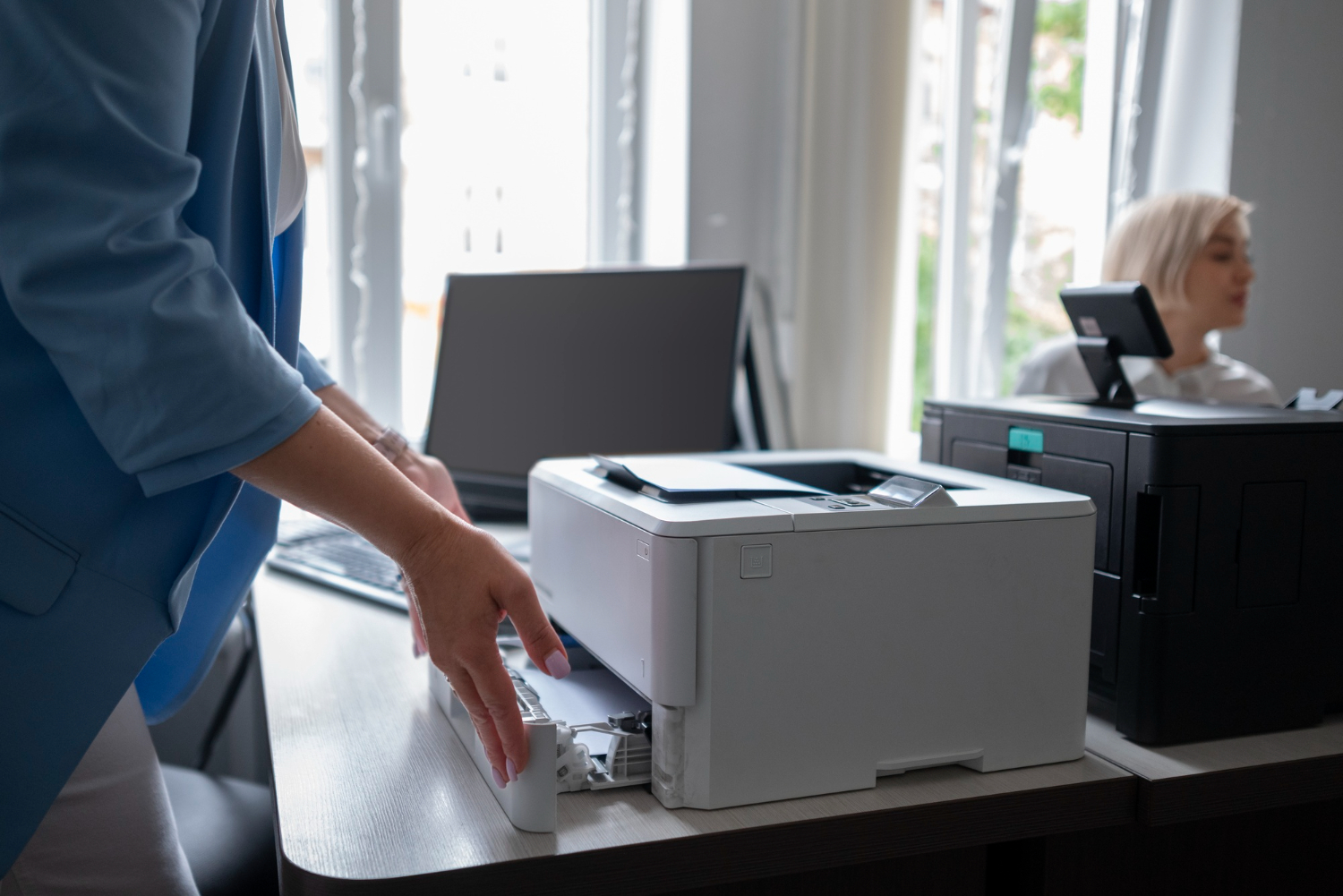
Smart Applications for Refurbished Office Printers
Smart Applications for Refurbished Office Printers
- 1st Jan 2025
As businesses seek cost-effective and environmentally friendly solutions, refurbished office printers have become an attractive option. These printers, restored to like-new condition, offer a way to meet printing needs without the high costs of new equipment. Refurbished printers provide reliable performance, reduced environmental impact, and significant savings, making them a smart choice for offices of all sizes. This blog post explores the applications of refurbished office printers and highlights the benefits they bring to modern workplaces.
What Are Refurbished Office Printers?
Understanding Refurbished Printers
Refurbished office printers are pre-owned devices inspected, cleaned, repaired, and tested to ensure they function as effectively as new models. They often come with updated parts, such as rollers or fusers, and undergo thorough quality checks to meet industry standards. Refurbished printers are available at a fraction of the cost of new models, making them an economical choice for businesses looking to optimise budgets.
Benefits of Refurbished Printers
Refurbished printers offer numerous benefits, including cost savings, reduced environmental impact, and access to high-quality equipment. By opting for refurbished models, businesses can achieve their operational goals without the substantial financial outlay required for new printers. Additionally, refurbished printers contribute to sustainability by reducing electronic waste and extending the life cycle of office equipment.
Applications of Refurbished Office Printers in Businesses
Daily Office Printing
Refurbished printers are ideal for daily tasks, such as printing emails, reports, and documents. They provide reliable performance and consistent print quality, suitable for routine office needs. For small to medium-sized businesses, refurbished printers offer an affordable way to maintain operations without sacrificing productivity.
Production of Marketing Materials
For businesses needing to produce marketing materials like flyers, brochures, and posters, refurbished printers can deliver high-quality results at a lower cost. Many refurbished models handle various paper sizes and finishes, allowing businesses to create professional-grade marketing collateral in-house, saving money and providing greater flexibility.
Supporting Remote Work and Satellite Offices
Refurbished printers are an excellent choice for remote work environments and satellite offices. By equipping these locations with affordable solutions, businesses can ensure consistent operations across all sites. Refurbished printers support remote teams, without the significant investment associated with new equipment.
Printing Large Volumes at Lower Costs
For companies printing large volumes regularly, refurbished printers provide a cost-effective solution. Whether it’s printing manuals, customer invoices, or bulk reports, refurbished printers handle high-capacity tasks efficiently. This is valuable for businesses with fluctuating print needs, where investing in new, high-capacity printers might not be practical.
Enhancing Sustainability Efforts
Choosing refurbished printers aligns with sustainable business practices. By reusing equipment, businesses reduce their environmental footprint, conserving resources and minimising waste. This approach supports corporate social responsibility initiatives and can enhance a company’s reputation with environmentally conscious customers.
Comparing Refurbished Printers to New Office Printers
Cost Savings
A compelling reason to choose refurbished printers is cost savings. Refurbished models can cost up to 50% less than new printers, making them an attractive option for budget-conscious businesses. These savings can be redirected to other critical areas, such as marketing, employee development, or technology upgrades.
Performance and Reliability
Refurbished printers are restored to meet or exceed the performance standards of new models. They undergo rigorous testing and quality assurance processes, ensuring reliable performance and high-quality prints. Many refurbished printers also come with warranties, providing businesses with added peace of mind.
Availability of High-End Features
Refurbished printers often include high-end features that may be cost-prohibitive in new models. Businesses can access advanced printing capabilities, such as duplex printing, high-speed printing, and multifunctional features, at a lower cost. This access allows businesses to operate more efficiently and effectively.
Factors to Consider When Choosing Refurbished Office Printers
Assessing Your Printing Needs
Before purchasing a refurbished printer, it’s important to assess your specific printing needs. Consider the volume your office requires, the types of materials to produce, and any special features necessary for operations. Understanding these needs helps you select a refurbished printer that aligns with your requirements.
Evaluating Printer Quality and Warranty
When choosing refurbished printers, it’s crucial to evaluate the quality and warranty offered by the supplier. Look for reputable suppliers who provide detailed information about the refurbishment process and offer warranties. A good warranty provides added protection and ensures reliable performance over time.
Considering Long-Term Costs
While refurbished printers offer immediate savings, it’s important to consider long-term costs, such as maintenance and consumables. Ensure that the printer model you choose has readily available parts and supplies, and factor in potential repair or maintenance costs. Balancing upfront savings with long-term costs helps you make an informed decision.
Conclusion
Refurbished office printers present a smart, economical solution for businesses looking to meet their printing needs without the high costs of new equipment. With applications ranging from daily tasks to high-volume printing, these printers offer reliable performance, advanced features, and significant savings. Additionally, choosing refurbished printers supports sustainability, contributing to a greener and more responsible business model.
For more information on our range of refurbished office printers and how they can benefit your business, visit our Printing Solutions page. Our team is ready to help you find the perfect printer to suit your needs and budget.
Blog
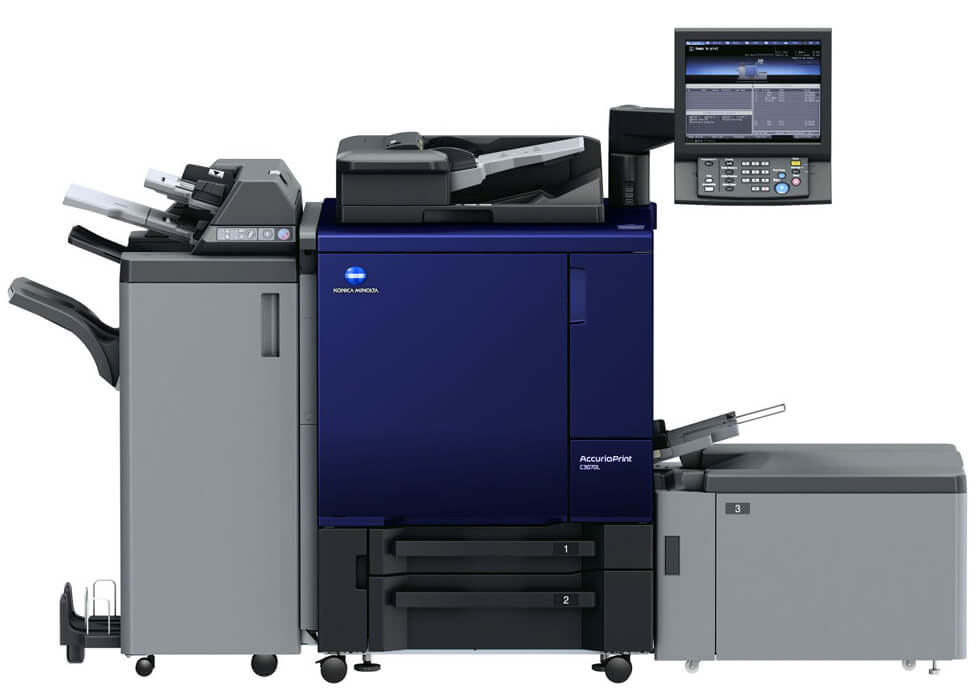
Practical Applications of Production Printers in Facilities
Practical Applications of Production Printers in Facilities
- 1st Jan 2025
Production printers are high-performance printing machines designed for large-scale and high-volume printing needs. Unlike standard office printers, production printers are built to handle extensive workloads, offering speed, efficiency, and superior print quality. In facilities management, these printers are invaluable tools that contribute to operational efficiency and cost-effectiveness. This blog post explores the practical applications of production printers in various facilities, highlighting their benefits and how they can streamline processes across different industries.
Understanding Production Printers
Key Features of Production Printers
Production printers are equipped with advanced features that set them apart from standard office printers. They offer high-speed printing, large paper capacity, and the ability to handle a wide range of media types and sizes. These printers are designed to produce high-quality prints consistently, making them ideal for businesses that require professional-grade materials.
Benefits of Using Production Printers
The primary benefits of production printers include increased productivity, cost savings, and enhanced print quality. They allow businesses to produce large volumes of printed materials quickly and efficiently, reducing the need for outsourcing. Production printers also offer advanced finishing options, such as binding, folding, and stapling, which can further streamline production processes.
Applications of Production Printers in Facilities Management
Printing of Marketing Materials
One of the most common applications of production printers in facilities is the creation of marketing materials. From brochures and flyers to posters and banners, production printers enable businesses to produce high-quality promotional materials in-house. This capability not only saves costs associated with outsourcing but also allows for greater control over the design and production process.
Document Management and Printing
Facilities often need to manage and print large volumes of documents, such as reports, manuals, and internal communications. Production printers excel in this role by providing fast, reliable, and high-quality printing. They can handle various paper sizes and types, making them ideal for creating documents that require different formats or special finishes.
Production of Training and Instructional Materials
For facilities involved in training and education, production printers are essential for printing instructional materials, manuals, and workbooks. They provide the flexibility to produce customised materials tailored to specific training needs. This capability ensures that all materials are up-to-date and relevant, enhancing the learning experience for trainees and employees.
Customised Packaging and Labelling
In manufacturing and distribution facilities, production printers can be used for printing customised packaging and labels. This application is particularly useful for businesses that require variable data printing, such as barcodes, serial numbers, or personalised information. Production printers offer the speed and accuracy needed to keep up with production demands while maintaining high-quality output.
Large-Format Printing for Signage
Facilities that require large-format printing for signage, such as retail stores, hotels, and corporate offices, can benefit significantly from production printers. These printers can produce large-scale prints with high resolution, making them ideal for creating impactful signage that enhances branding and communication within the facility.
Comparing Production Printers to Standard Office Printers
Speed and Volume Capabilities
Production printers are designed to handle much higher volumes than standard office printers. They offer faster print speeds, which is crucial for facilities that need to produce large quantities of printed materials quickly. This capability makes production printers a more efficient choice for high-demand environments.
Advanced Finishing Options
Production printers come with advanced finishing options that are not typically available with standard office printers. These options, such as binding, folding, and hole punching, allow businesses to create professional-quality documents in-house. This capability not only saves time but also reduces the cost of outsourcing finishing services.
Cost Efficiency
While the initial investment in a production printer may be higher than that of a standard office printer, the long-term cost savings can be significant. Production printers reduce the need for outsourcing and allow businesses to produce materials on demand, reducing waste and inventory costs. Over time, the efficiency and capabilities of production printers can lead to substantial cost reductions for facilities.
Factors to Consider When Choosing a Production Printer
Assessing Printing Needs
Before investing in a production printer, it’s important to assess your facility’s specific printing needs. Consider factors such as the volume of printing required, the types of materials you will be producing, and the level of quality needed. Understanding these needs will help you choose a production printer that meets your facility’s requirements.
Evaluating Total Cost of Ownership
When evaluating production printers, it’s essential to consider the total cost of ownership, which includes the initial purchase price, maintenance costs, and the cost of consumables such as ink and paper. Comparing these costs across different models can help you select a printer that offers the best value for your investment.
Integration with Existing Systems
Another important consideration is how well the production printer will integrate with your facility’s existing systems and workflows. Look for printers that offer compatibility with your current software and network infrastructure. Seamless integration will ensure that your new printer enhances rather than disrupts your existing processes.
Conclusion
Production printers play a vital role in facilities management, offering a range of practical applications that enhance productivity, reduce costs, and streamline operations. Whether you need to print marketing materials, manage documents, or produce customised packaging, production printers provide the capabilities and efficiency to meet your facility’s needs. By carefully assessing your printing requirements and evaluating the options available, you can choose a production printer that delivers maximum value and supports your business objectives.
For more information on production printers and how they can benefit your facility, visit our Production Printers page. Our team is ready to assist you in selecting the right printer for your needs.
Blog
DECT vs WiFi Phones: Which is Better for Your Office?

DECT vs WiFi Phones: Which is Better for Your Office?
- 1st Jan 2025
Choosing the right phone system for your office is crucial for maintaining effective communication. With numerous options available, it can be challenging to decide between DECT (Digital Enhanced Cordless Telecommunications) and WiFi phones. This blog post compares DECT and WiFi phones, highlighting their key features, benefits, and considerations to help you make an informed choice for your office.
Understanding DECT Phones
Key Features of DECT Phones
DECT phones operate on a dedicated frequency band, providing clear and reliable voice communication. They are known for their extended range, with some models offering coverage up to several hundred metres from the base station. DECT phones are ideal for offices that require reliable communication over larger areas or multiple floors.
Benefits of DECT Phones
DECT phones offer superior voice quality and fewer interference issues compared to WiFi phones. They are less likely to experience signal degradation, making them suitable for environments with heavy wireless traffic. Additionally, DECT phones are typically more energy-efficient, providing longer battery life.
Applications of DECT Phones
DECT phones are well-suited for offices with high mobility needs. They are often used in large warehouses, manufacturing plants, and multi-story office buildings where reliable communication is essential. The long range and durability of DECT phones make them a practical choice for these environments.
Exploring WiFi Phones
Key Features of WiFi Phones
WiFi phones connect to your office network via WiFi, eliminating the need for dedicated phone lines. They offer flexibility and can be used anywhere within the range of your WiFi network. WiFi phones are often equipped with advanced features such as video calling and integration with other communication tools.
Benefits of WiFi Phones
WiFi phones offer significant advantages in terms of flexibility and cost savings. They eliminate the need for additional wiring and can be easily relocated as your office layout changes. Additionally, WiFi phones often come with modern features that enhance communication and collaboration.
Applications of WiFi Phones
WiFi phones are ideal for offices with a strong and stable WiFi network. They are well-suited for dynamic work environments where employees frequently move between workstations or locations. WiFi phones are also beneficial for businesses that want to integrate their phone system with other digital tools and platforms.
Comparing DECT and WiFi Phones
Range and Coverage
DECT phones generally offer better range and coverage compared to WiFi phones. DECT technology is designed to provide reliable communication over larger distances and in areas with physical obstructions. WiFi phones, on the other hand, are limited by the strength and reach of your WiFi network. In large offices or environments with challenging layouts, DECT phones may offer more consistent performance.
Voice Quality
DECT phones are known for their superior voice quality due to their dedicated frequency band and minimal interference. WiFi phones may experience occasional interference and signal degradation, especially in areas with heavy wireless traffic or weak WiFi signals. For critical communication needs, such as customer service or high-stakes negotiations, DECT phones might be the better option.
Mobility and Flexibility
WiFi phones offer greater mobility and flexibility, as they connect to your office network without the need for physical connections. They can be easily moved and used in different locations within the range of your WiFi network. DECT phones are more limited in this regard but excel in areas where extended range is required. Consider the mobility needs of your team when making a decision.
Cost and Maintenance
WiFi phones can be more cost-effective, as they do not require additional wiring and can be integrated with existing network infrastructure. However, they may require more frequent maintenance due to potential network issues. DECT phones, while potentially more expensive due to the need for dedicated base stations, often provide more reliable performance and lower maintenance needs. Assessing the total cost of ownership, including installation and upkeep, can help in making an informed choice.
Making the Right Choice for Your Office
When deciding between DECT and WiFi phones, consider the specific needs and layout of your office. DECT phones are ideal for environments requiring extended coverage and reliability, while WiFi phones offer flexibility and advanced features for dynamic workspaces. Evaluate factors such as range, voice quality, mobility, and cost to determine which technology best suits your office’s communication needs.
Additionally, think about the future growth of your business. If you anticipate changes in your office layout or network infrastructure, WiFi phones might offer the adaptability you need. Conversely, if stable and long-range communication is paramount, DECT phones could provide the reliability your operations require.
For more information on DECT and WiFi phones, visit our Communication Solutions page. Our team is here to help you choose the right solution for your office.
Blog
Choosing the Right Business Phone Systems for Your Office
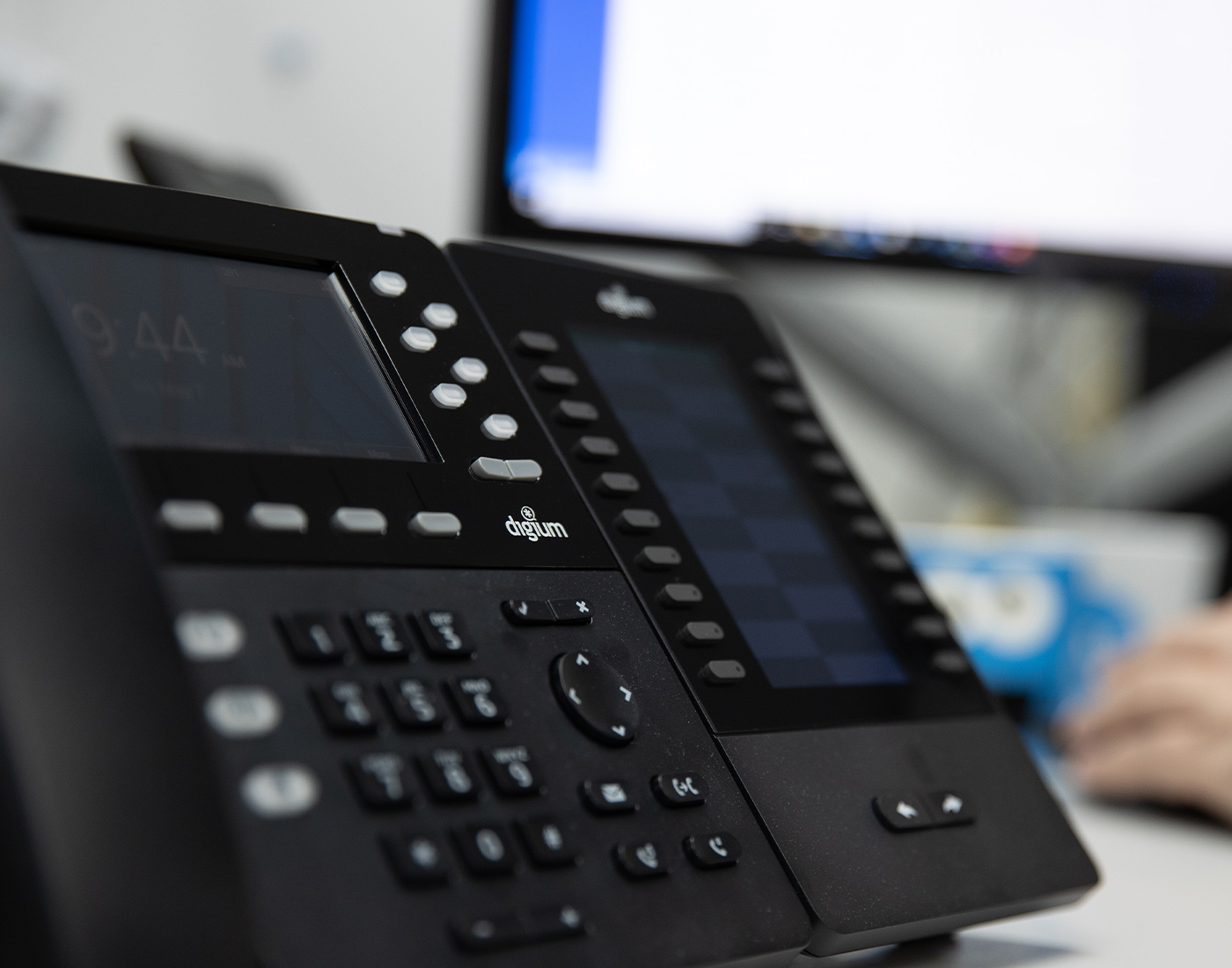
Choosing the Right Business Phone Systems for Your Office
- 1st Jan 2025
In today’s fast-paced business environment, a reliable and efficient phone system is crucial for smooth communication within and outside your office. With various options available, selecting the right business phone system can be daunting. This blog post aims to guide you through the process of choosing the best phone system for your office, highlighting key features, benefits, and considerations.
The Importance of a Reliable Business Phone System
Efficient Communication
A robust business phone system ensures clear communication among team members, clients, and partners. Effective systems support voice calls, video conferencing, and voicemail to enhance productivity.
Professionalism and Credibility
A professional phone system reflects positively on your business’s image. Features such as custom greetings, call forwarding, and automated attendants contribute to a polished impression. A well-chosen system improves customer service and client interactions.
Scalability and Flexibility
As your business grows, a scalable phone system allows you to add or remove lines, integrate new features, and adapt to changing needs. This flexibility accommodates future expansions and technological advancements.
Key Features to Consider
VoIP (Voice over Internet Protocol)
VoIP uses the internet to make and receive calls, offering cost-effective solutions with features like call recording and video conferencing. If your office has a stable internet connection, VoIP is a powerful choice.
Unified Communication
Unified communication systems integrate various channels into a single platform, including voice, video, messaging, and collaboration tools. This streamlines communication and enhances productivity.
Call Management Features
Effective call management features, such as call forwarding, call waiting, voicemail-to-email, and interactive voice response (IVR), help handle high call volumes and ensure smooth communication.
Integration with Other Systems
A phone system that integrates with CRM software and email platforms enhances productivity by enabling seamless data sharing and improved workflow.
Mobility and Remote Access
A system that supports mobility and remote access allows employees to make and receive calls from their smartphones or laptops regardless of location.
Security Features
Ensure your phone system has built-in security features like call encryption, secure access controls, and regular updates to protect sensitive business information.
Benefits of Upgrading Your Business Phone System
Enhanced Productivity
An upgraded phone system with advanced features can significantly enhance productivity. Features like call forwarding, voicemail-to-email, and integrated tools streamline operations and reduce time spent on managing calls and messages.
Cost Savings
Modern phone systems, especially VoIP solutions, often offer cost savings compared to traditional phone lines. VoIP typically has lower call rates and reduced maintenance costs. Scalability means you only pay for the features and lines you need.
Improved Customer Experience
A reliable phone system enhances the customer experience with clear and efficient communication channels. Features like automated attendants and call routing ensure customers are directed to the right department promptly.
Future-Proofing Your Business
Investing in a modern phone system helps future-proof your office by accommodating emerging technologies and communication trends. Systems that offer integration with new tools and scalable features ensure long-term adaptability.
Tips for Choosing the Right Phone System
Training and Support
Proper training for your staff is crucial. Ensure your team is familiar with the system’s features and functionalities. Many providers offer training resources and robust customer support to help with this transition.
Regular Maintenance and Upgrades
Maintaining your phone system is vital for performance. Regular updates and maintenance ensure the system remains secure and efficient. Review your phone system periodically to ensure it meets your evolving business needs.
Future Considerations
Consider future-proofing your phone system with solutions that offer flexibility and scalability. Look for systems that support integration with emerging technologies and adapt to new communication trends.
Evaluating ROI
Assess the return on investment (ROI) of your phone system. Evaluate how well it meets your business needs and contributes to efficiency and productivity. Consider both tangible and intangible benefits, such as cost savings and enhanced satisfaction.
Conclusion
Choosing the right business phone system is a strategic decision impacting your office’s communication efficiency. By understanding your needs, evaluating key features, and selecting a reliable provider, you can enhance your operations and support your business goals. For more detailed information and assistance, visit our Business Phone Systems page.
Our team is here to help you make an informed choice and ensure a smooth implementation. Contact us today to get a quote or discuss your specific requirements.
Blog
Revolutionise Your Office with Cutting-Edge Internet Service

Revolutionise Your Office with Cutting-Edge Internet Service
- 1st Jan 2025
In today’s digital age, a robust and reliable internet service is crucial for the success of any office. As businesses increasingly rely on technology for their daily operations, having cutting-edge internet service can make a significant difference in productivity, efficiency, and overall performance. This blog post explores how you can revolutionise your office with the latest internet solutions and why it’s essential to choose the right service for your needs.
The Importance of Modern Internet Service
Enhanced Connectivity
Modern internet services offer enhanced connectivity, ensuring that your office remains connected at all times. Whether you’re handling client communications, conducting video conferences, or managing cloud-based applications, a reliable internet connection is essential. Advanced internet solutions, such as fibre optics and high-speed broadband, provide the stability and speed needed for seamless connectivity.
Increased Productivity
A high-speed internet connection can dramatically increase productivity in the workplace. Faster upload and download speeds mean that tasks such as transferring large files, accessing online tools, and streaming media are completed more quickly. This efficiency reduces downtime and allows employees to focus on their core responsibilities, ultimately boosting overall productivity.
Support for Advanced Technologies
Cutting-edge internet services support the latest technologies and innovations. As businesses integrate more advanced systems, such as cloud computing, IoT devices, and remote collaboration tools, having a robust internet connection is crucial. Modern internet solutions ensure that these technologies operate smoothly, providing the bandwidth and reliability needed for optimal performance.
Key Features to Look for in Office Internet Services
1. High-Speed Connectivity
One of the most critical features of modern internet services is high-speed connectivity. Look for providers that offer fibre-optic or high-speed broadband connections, as these provide faster data transfer rates and lower latency. High-speed internet is essential for supporting multiple users and devices simultaneously without experiencing slowdowns.
2. Reliability and Uptime
Reliability is a key factor in choosing an internet service provider (ISP). Ensure that the provider offers a strong track record of uptime and minimal disruptions. Reliable internet service reduces the risk of downtime, ensuring that your office remains operational and connected at all times.
3. Scalability
As your business grows, so will your internet needs. Choose an ISP that offers scalable solutions, allowing you to easily upgrade your internet plan as required. Scalable internet services ensure that you can accommodate increasing data demands without experiencing performance issues.
4. Customer Support
Quality customer support is essential for addressing any issues or concerns that may arise with your internet service. Look for providers that offer responsive and knowledgeable customer support teams, available to assist with troubleshooting and technical problems.
5. Security Features
Internet security is crucial for protecting your business data and communications. Opt for an internet service provider that offers robust security features, such as firewalls, encryption, and secure access controls. These measures help safeguard your network against cyber threats and unauthorised access.
Benefits of Upgrading Your Office Internet Service
1. Improved Efficiency
Upgrading to a cutting-edge internet service enhances overall efficiency in the office. Faster speeds and more reliable connections mean that employees can perform tasks more quickly and with fewer interruptions. This improvement in efficiency translates to better performance and increased output.
2. Enhanced Collaboration
Modern internet services facilitate better collaboration among team members, especially in remote or hybrid work environments. High-speed internet supports video conferencing, file sharing, and real-time communication, making it easier for teams to work together effectively regardless of their location.
3. Better Customer Experience
A reliable internet connection improves the customer experience by enabling smooth interactions and transactions. Whether clients are accessing your website, participating in online meetings, or using your digital services, a robust internet connection ensures that they receive a seamless and positive experience.
4. Future-Proofing Your Business
Investing in advanced internet services helps future-proof your business by preparing it for upcoming technological advancements. As new technologies emerge and data demands increase, having a cutting-edge internet solution ensures that your business remains competitive and adaptable.
Choosing the Right Internet Service for Your Office
1. Assess Your Needs
Before selecting an internet service provider, assess your office’s specific needs. Consider factors such as the number of users, types of applications used, and data requirements. Understanding these needs will help you choose a plan that offers the appropriate speed, bandwidth, and features.
2. Compare Providers
Research and compare different internet service providers to find the best option for your office. Evaluate their offerings based on speed, reliability, customer support, and cost. Look for providers that offer flexible plans and scalable solutions to meet your current and future needs.
3. Read Reviews and Testimonials
Reading reviews and testimonials from other businesses can provide valuable insights into the quality of service provided by different ISPs. Look for feedback on reliability, customer support, and overall satisfaction to make an informed decision.
4. Request a Demonstration
Many ISPs offer demonstrations or trial periods for their internet services. Take advantage of these opportunities to test the service and assess its performance in your office environment. This hands-on experience will help you determine if the service meets your expectations.
Conclusion
Revolutionising your office with cutting-edge internet service can significantly enhance productivity, efficiency, and overall performance. By selecting a provider that offers high-speed connectivity, reliability, scalability, and robust security features, you can ensure that your business remains competitive and adaptable in the digital age. For more information and to explore our internet solutions, visit our Internet, Wifi & NBN page.
Blog
How to Choose the Best Nurse Call Systems for Your Facility

How to Choose the Best Nurse Call Systems for Your Facility
- 1st Jan 2025
Choosing the right nurse call system for your healthcare facility is a critical decision that can significantly impact patient care and operational efficiency. With numerous options available, selecting the best system involves evaluating various features, understanding your facility’s specific needs, and ensuring integration with existing systems. This guide will help you navigate the process of choosing the ideal nurse call system for your facility.
What is a Nurse Call System?
A nurse call system is a communication tool used in healthcare facilities to allow patients to alert healthcare staff when they need assistance. It typically includes call buttons, intercoms, and other communication devices that enable patients to request help quickly and effectively. Modern nurse call systems offer advanced features such as real-time notifications, integration with other healthcare technologies, and detailed reporting capabilities.
For more information on nurse call systems, visit our Nurse Call Systems page.
Key Features to Consider
1. Ease of Use
One of the most important aspects of a nurse call system is its ease of use. The system should be intuitive and user-friendly, allowing patients and staff to operate it without difficulty. Look for systems with clear and simple interfaces, easy-to-press call buttons, and straightforward installation processes.
2. Integration Capabilities
Ensure that the nurse call system can integrate with other technologies used in your facility, such as electronic health records (EHR) and patient monitoring systems. Integration enhances the efficiency of communication between staff members and improves overall patient care by providing timely and accurate information.
3. Real-Time Notifications
Real-time notifications are crucial for prompt response to patient needs. Choose a system that offers instant alerts to nursing stations and mobile devices, ensuring that staff can quickly address patient requests and emergencies. Features like text notifications and visual alerts can further improve response times.
4. Customisation Options
Different healthcare facilities have varying needs, so a nurse call system should offer customisation options to suit your specific requirements. Look for systems that allow you to adjust settings, configure call buttons, and tailor alerts to meet the unique needs of your facility.
5. Reliability and Durability
Reliability is essential for any communication system in a healthcare setting. Ensure that the nurse call system you choose is robust and durable, with a proven track record of reliability. The system should be able to withstand the demands of a busy healthcare environment and provide consistent performance.
Benefits of an Effective Nurse Call System
1. Enhanced Patient Care
An effective nurse call system improves patient care by ensuring that requests for assistance are promptly addressed. Quick response times to patient needs contribute to better patient outcomes and increased satisfaction.
2. Improved Staff Efficiency
With real-time notifications and streamlined communication, nurse call systems enhance staff efficiency. By reducing the time spent managing patient requests, staff can focus on providing high-quality care and attending to other critical tasks.
3. Reduced Response Times
The ability to receive instant alerts and communicate effectively with staff leads to reduced response times. Faster response to patient needs can prevent complications and enhance the overall safety of patients.
4. Data Collection and Reporting
Many nurse call systems offer data collection and reporting features, providing valuable insights into patient care and system performance. Analyse data to identify trends, monitor response times, and make informed decisions about resource allocation and process improvements.
5. Increased Patient Satisfaction
By addressing patient requests promptly and effectively, a nurse call system contributes to higher levels of patient satisfaction. Satisfied patients are more likely to have positive experiences and provide favourable feedback about their care.
Choosing the Right System for Your Facility
1. Assess Your Facility’s Needs
Begin by assessing the specific needs of your healthcare facility. Consider factors such as the size of the facility, the number of patient rooms, and the types of services provided. Understanding these needs will help you identify the features and capabilities required in a nurse call system.
2. Consult with Healthcare Professionals
Consult with healthcare professionals and staff members who will be using the system daily. Their input is valuable in determining which features are most important and how the system can be tailored to enhance their workflow and patient interactions.
3. Evaluate Different Options
Research and compare different nurse call systems available in the market. Look for systems that meet your facility’s needs, offer the desired features, and fit within your budget. Consider factors such as system scalability, integration capabilities, and customer support.
4. Consider Future Needs
Anticipate future needs and ensure that the nurse call system you choose can adapt to changes in your facility. Choose a system that is scalable and flexible, allowing for upgrades and expansions as required.
5. Request Demonstrations
Request demonstrations or trials of the nurse call systems you are considering. This will allow you to evaluate the system’s performance, ease of use, and integration capabilities firsthand. Involve staff in the evaluation process to ensure the system meets their needs and preferences.
Conclusion
Choosing the best nurse call system for your facility is a crucial decision that impacts patient care, staff efficiency, and overall operational effectiveness. By considering key features, benefits, and future needs, you can select a system that enhances communication and improves patient outcomes. For more information and guidance on selecting the right nurse call system, visit our Nurse Call Systems page.
